Soccer Shoot Star Arcade Match
Reviews
💡Soccer Shoot Star Arcade Match offers a straightforward two-player soccer experience. The ability to customize players, fields, and balls adds a nice personal touch. The controls are easy to learn, making it accessible for all ages. Matches are short and intense, perfect for quick gaming sessions. While it lacks single-player modes, it is a solid choice for local multiplayer fun.
Description
Game Introduction
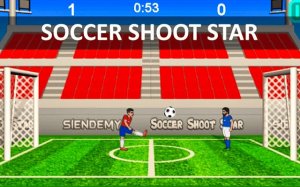
Soccer Shoot Star Arcade Match is a two-player soccer game designed for quick and friendly competition. Players take control of a football player on a 2D field, aiming to score more goals than their opponent before time runs out. The game features simple graphics and responsive physics, making each match feel lively and immediate. Before starting, players can choose their preferred football player, the playing field, and the ball design. This customization adds a personal touch to every game. The core objective is straightforward: outscore your opponent within the match timer. Matches are short and intense, encouraging players to focus on timing and positioning. The game is easy to pick up, but mastering the controls and strategies takes practice. It is ideal for friends or family members who want a quick, fun soccer challenge without complex rules or lengthy sessions.
How to Play
In Soccer Shoot Star Arcade Match, two players share a single keyboard. Each player uses a set of keys to move their character, jump, and kick the ball. One player typically uses keys like W, A, S, D, while the other uses keys such as I, J, K, L or number pad keys. The goal is to move your player into position to intercept the ball and then kick it toward the opponent's goal. Timing is important: a well-timed kick can send the ball past the goalkeeper, while a well-timed jump can help you block shots. Players must also be aware of their opponent's movements to anticipate passes or shots. The match continues until the timer ends, and the player with the most goals wins.
Game Features
Soccer Shoot Star Arcade Match includes head-to-head competition that tests reflexes and strategy. Players can customize their experience by selecting different players, fields, and ball designs before each match. The controls are simple and intuitive, allowing players to focus on the action. Matches are fast-paced, keeping energy high and encouraging repeat play. The game is designed for two players, making it a good choice for local multiplayer sessions. It does not require an internet connection for local play, and the straightforward mechanics make it accessible to players of all ages.
Tips for Success
To succeed in Soccer Shoot Star Arcade Match, focus on timing your kicks and jumps. Practice moving quickly to intercept the ball and position yourself for strong shots. Aim for the corners of the goal to make it harder for the opponent to save. Stay aware of the timer and adjust your strategy: if you are behind, take more risks; if ahead, play defensively. Regular practice will help you master the controls and anticipate your opponent's moves.