Launchball Physics Puzzle Game
Reviews
💡Launchball offers a solid physics puzzle experience with 30 levels that gradually increase in complexity. The level editor adds replayability, allowing players to create and share custom challenges. It is an educational tool disguised as a game, making it ideal for curious minds. The controls are responsive, and the science museum origin ensures accurate physics.
Description
Game Introduction
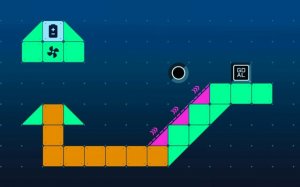
Launchball Physics Puzzle Game is an engaging brain teaser that combines arcade-style action with educational physics concepts. The core objective is to guide a ball from its starting point to a goal by applying logic and understanding of physical forces. This game stands out by turning real-world physics principles into an interactive puzzle experience, making learning fun and intuitive for players of all ages.
How to Play
Players aim to get the ball to the designated finish point in each level. The game presents various obstacles and interactive elements that can be manipulated to alter the ball's path. Typically, you click or drag objects like ramps, springs, or fans to create a clear route. Experimentation is key, as you learn how different placements affect the ball's trajectory and momentum.
Game Features
The game includes multiple levels that challenge your problem-solving skills. It offers an interactive physics playground where you can experiment with forces such as gravity and momentum. Controls are designed to be intuitive, allowing easy interaction with game elements. Additionally, a level editor may be available, letting you create and share your own custom puzzles.
Tips for Success
Take time to observe each level before making any moves. Try different placements of ramps and springs to see how they influence the ball's path. Use the level editor to practice designing puzzles, which can deepen your understanding of the physics involved. Replaying levels can help you discover more efficient solutions and improve your skills.
Compatibility
━━━━━━━━━━━━━━━━━━━━━━━━━━━━━━━━━ 📱 Play on Any Device | Chrome / Safari / Edge Recommended ━━━━━━━━━━━━━━━━━━━━━━━━━━━━━━━━━