Stickman Co-op Puzzle Adventure
Reviews
💡Red and Blue Stickman Huggy delivers a solid cooperative experience. The puzzles are well-designed and demand real communication, which makes each success rewarding. The controls are responsive, and the double-jump adds a nice layer to platforming. Levels are short but varied, encouraging replay to perfect your coordination. It is a wholesome game that families and friends can enjoy together without any concerns.
Description
Game Introduction
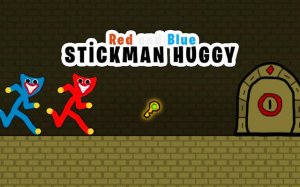
Stickman Co-op Puzzle Adventure is a cheerful two-player platformer where you and a friend control Red and Blue, two stickman brothers. The core objective is to cooperate and solve puzzles across various levels. Each level hides a key that unlocks the exit door, requiring players to communicate and time their actions to overcome obstacles like pressure switches, moving platforms, and gaps. The game features a minimalist style and lighthearted tone, making it suitable for all ages. There is no violence or complex story, only collaborative problem-solving.
How to Play
In Stickman Co-op Puzzle Adventure, one player controls Red using standard keyboard keys, while the other controls Blue using a separate set of keys. Both characters can jump and double-jump. The goal is to collect the level key and then guide both brothers to the exit. Often, one brother must activate a switch or hold a platform for the other. Success depends on clear communication and planning. The game may also support touch controls on mobile devices for easy access.
Game Features
Key features include: Fun two-player cooperative gameplay that encourages teamwork. Family-friendly content with no inappropriate themes. Clever puzzle platforming levels that require coordination. Simple controls that are easy to learn. Minimalist visuals that keep focus on the puzzles. The game is designed for quick gaming sessions with short levels.
Tips for Success
To succeed in Stickman Co-op Puzzle Adventure, communicate clearly with your partner about each move. Plan your actions before jumping, as timing is crucial for activating switches and crossing gaps. Practice using double-jumps to reach higher platforms. If a puzzle seems difficult, try switching roles to see the problem from a different perspective. Stay patient and encourage each other, as teamwork is the key to progress.