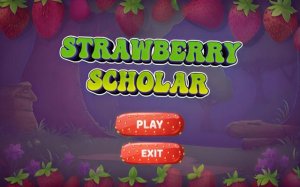
Strawberry Scholar Educational Adventure
Kids Adventure Fun Ability Educational Education
Strawberry Scholar Educational Adventure
80
Developer: Rune Reapers Labs
Published: 2024-08-07
Updated: 2026-06-06

Reviews

💡Strawberry Scholar Pro offers a well-rounded early math experience. The adaptive difficulty keeps children challenged without frustration, and the strawberry slicing mini-game provides a welcome physical activity break. Lessons are clear and repeatable, helping kids master number recognition and counting at their own pace. The ad-free environment is a major plus for parents. This game has strong replay value as children progress through levels and revisit rhymes.

Description

Game Introduction

Strawberry Scholar Educational Adventure is a learning tool designed for early childhood numeracy. The game combines structured lessons with engaging activities to help children build core number skills naturally. Bright visuals, cheerful sounds, and multiple learning styles make it accessible for visual, auditory, and kinesthetic learners. Children start with number recognition and progress to counting and simple quizzes, all within a safe, ad-free environment. The strawberry slicing mini-game offers a playful break that reinforces hand-eye coordination.

How to Play

On mobile devices, tap numbers in the Learn section to hear them spoken, tap answers in Challenge quizzes, and swipe the screen to slice strawberries in the mini-game. On desktop, click numbers and quiz answers, and click and drag the mouse to slice strawberries. Begin with the Learn section to build foundational skills, then move to Challenge to test knowledge. Use the Rhyme section to reinforce memory with catchy songs. The strawberry slicing activity is available anytime for a fun break.

Game Features

Adaptive difficulty adjusts to each child's learning pace. Three learning modes cover recognition, spelling, and counting. A strawberry slicing mini-game adds physical interaction. Ad-free and kid-safe with no external links. Bright, friendly artwork and sound effects keep children engaged. Progress tracking helps parents see improvement.

Tips for Success

Encourage children to start with the Learn section to build a strong foundation before attempting challenges. Practice regularly with the Rhyme section to reinforce number memory through songs. Use the strawberry slicing mini-game as a reward to maintain motivation. Parents can review progress tracking to identify areas needing extra practice and celebrate achievements to boost confidence.


Compatibility

▸ Desktop: Chrome / Edge / Firefox / Safari
▸ Mobile: iOS Safari / Android Chrome
▸ Tablet: iPadOS Safari / Android Tablet Browser
Keep your browser updated for the best experience

Faq

Is Strawberry Scholar Educational Adventure free to play?
The game is described as ad-free and kid-safe, but specific pricing details are not provided. Many educational apps of this type are either free with limited content or offer a one-time purchase. Check the app store listing for the current price and any in-app purchases.
What age group is this game designed for?
Based on the focus on early childhood numeracy and number recognition, the game is typically designed for preschool and kindergarten children, roughly ages 3 to 6. The bright visuals, simple interactions, and mini-game make it suitable for young learners who are just starting to build foundational math skills.
Can parents track their child's progress in the game?
Yes, the game includes progress tracking features that help parents see improvement over time. This allows adults to monitor which number skills their child has mastered and identify areas that may need extra practice. Progress tracking is a common feature in educational games to support parental involvement.
Does the game require an internet connection to play?
The game description does not specify internet requirements. However, many educational apps of this type are designed to work offline after initial download, especially since it is ad-free. For the most accurate information, refer to the app store listing or the developer's website.
Is the strawberry slicing mini-game safe for young children?
Yes, the mini-game is designed to be a safe, playful break that reinforces hand-eye coordination. It involves swiping or clicking to slice strawberries, with no violent or inappropriate content. The entire game is kid-safe with no external links, making it suitable for unsupervised play by young children.
Can this game be used in a classroom setting?
Yes, the structured lessons, multiple learning modes, and progress tracking make it suitable for classroom use. Teachers can use the Learn and Challenge sections for individual or group activities, and the Rhyme section for whole-class singing. The ad-free environment ensures no distractions during lessons.