Kids Coloring Pages: Learning Game
Reviews
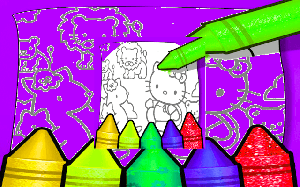
💡Kid Learning Coloring Pages provides a straightforward coloring experience with a solid selection of images. The tools are easy to use, and the undo feature helps avoid frustration. The game is ideal for short sessions or longer creative periods. It has replay value due to the many pages and color combinations. A safe, ad-free environment for kids.
Description
Game Introduction
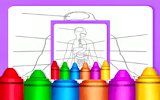
Kids Coloring Pages: Free Online Learning Game is a digital coloring platform designed for creative expression and learning. It features a wide selection of coloring pages, including animals, vehicles, nature scenes, and educational alphabets. Players can choose any image and use a variety of tools to add color. The game supports undo, zoom, and effects like glitter for detailed work. It is suitable for children, families, and anyone seeking a relaxing activity. The interface is intuitive, making it easy to start without instructions. There are no time limits, ads, or distractions, allowing for focused play. The game runs in a browser, requiring no downloads or installations. It is a safe space for learning colors, shapes, and creativity.
How to Play
To play, first browse the image library and select a page. Then, pick a color from the palette. Adjust brush size for small or large areas. Click or tap on areas to fill them with color. Use zoom for precision work. The undo button removes mistakes. Apply effects like glitter for fun. Once finished, save the image to your device or share it. The game saves progress automatically. No account is needed. Players can restart or choose a new page at any time.
Game Features
Extensive image library with categories like animals and alphabets. Advanced coloring tools including brush size adjustment and undo. User-friendly interface designed for all ages. Stress-free accessibility with no time limits or pressure. Save and share finished artwork. Works on desktop and mobile browsers.
Tips for Success
To get the most out of Kids Coloring Pages, start with simpler images to get comfortable with the tools. Experiment with different brush sizes and colors to see how they blend. Use the zoom feature for detailed sections and the undo button freely to correct mistakes. Take your time—there is no rush. Try applying glitter effects to make your artwork stand out. Save your finished pieces to track your progress and share them with family or friends.
🛠️ Compatibility
• OS: Windows 10+, macOS 11+, iOS 14+, Android 10+ • Browsers: Chrome 100+, Safari 15+, Edge 100+, Firefox 100+ • Not compatible with Internet Explorer Tested on real devices – works as expected