Naval Strategy Puzzle: Battleship Online
Reviews
💡Battleship on Cells provides a satisfying blend of classic gameplay and strategic depth. The grid-based puzzles encourage careful planning and pattern recognition, making each match feel fresh. The interface is intuitive, and the lack of distracting elements keeps focus on the challenge. It offers good replay value for players who enjoy logic games.
Description
Game Introduction
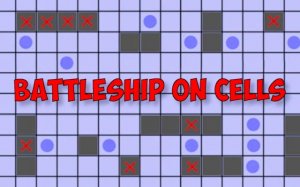
Battleship on Cells is a digital adaptation of the classic naval combat game, redesigned to emphasize strategic thinking and logical deduction. Players begin by secretly placing their fleet of ships on a grid, with each placement choice affecting the difficulty for the opponent. The core objective remains to locate and sink all enemy ships through a series of targeted attacks. However, this version goes beyond random guessing by rewarding careful analysis of hit and miss patterns. Each move provides information that can be used to narrow down possible ship locations, turning the game into a battle of wits. The game board updates in real time, allowing players to track their progress and adjust their strategy. This approach transforms a simple guessing game into a deep puzzle that tests pattern recognition, memory, and tactical foresight. The clean interface and responsive controls make it accessible for quick sessions, while the strategic depth ensures lasting engagement for players who enjoy mental challenges.
How to Play
To play Battleship on Cells, start by arranging your ships on the grid. You can rotate and place each vessel in any position, but they cannot overlap. Once both players have set their fleets, the game begins. On your turn, select a coordinate on the enemy grid to launch an attack. The game will indicate whether the shot was a hit or a miss. Use this feedback to build a mental map of the enemy ship locations. A hit marks that part of a ship, and consecutive hits can reveal the ship's orientation and size. Misses help eliminate empty areas, making the search more efficient. The goal is to sink all enemy ships before they sink yours. To improve your chances, develop a systematic search pattern that covers the grid evenly while remaining unpredictable to your opponent. Pay attention to the size of each ship and the possible placements that fit the remaining empty spaces. With practice, you will learn to deduce the most likely locations based on the pattern of hits and misses.
Game Features
Strategic fleet deployment allows you to place ships in ways that are harder to detect. Predictive targeting helps you analyze opponent patterns and make educated guesses. Active counter-strategy involves forcing the enemy into predictable moves. Adaptive thinking requires adjusting your plan as the board changes. This game offers a clean, distraction-free experience that respects your time. It is suitable for quick matches during breaks or longer sessions when you want to sharpen your logical reasoning skills.
Tips for Success
To excel in Battleship on Cells, practice regularly to improve your pattern recognition and deduction skills. Learn to balance systematic searching with unpredictable attacks to keep your opponent guessing. Pay close attention to the size and orientation of ships you have hit, as this helps narrow down remaining placements. Use misses efficiently to eliminate large areas of the grid. Adapt your strategy based on the opponent's moves, and try to anticipate their placements by thinking from their perspective. Consistent play will sharpen your tactical foresight and increase your win rate over time.
🛠️ Compatibility
• OS: Windows 10+, macOS 11+, iOS 14+, Android 10+ • Browsers: Chrome 100+, Safari 15+, Edge 100+, Firefox 100+ • Not compatible with Internet Explorer Tested on real devices – works as expected