Tower Stacking Puzzle Game
Reviews
💡Tower Stacking Puzzle Game offers a satisfying challenge for players of all ages. The tap-and-hold mechanic is intuitive, and the endless mode keeps you coming back to beat your high score. Unlockable skins add visual variety without distracting from the core gameplay. The game runs smoothly and is perfect for casual play.
Description
Game Introduction
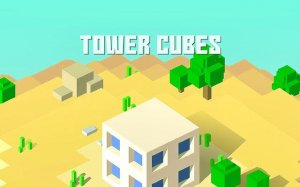
Tower Stacking Puzzle Game invites players to construct the tallest possible tower by stacking blocks with careful timing. Each block falls from above, and you control its size by holding your finger on the screen. Release at the perfect moment to place it on the stack. A precise match keeps the tower stable, while misalignment creates wobbles that test your focus. The game features vibrant visuals and a variety of unlockable block skins, from classic wood to neon styles. Designed for all ages, Tower Stacking Puzzle Game offers endless fun as you compete against your own high score. Its straightforward mechanics make it easy to start, but mastering the timing requires practice and patience.
How to Play
To play, tap and hold your finger on the screen to make the falling block grow larger. Release when the block reaches the desired size to place it on top of the previous block. Aim for a perfect alignment to earn bonus points and maintain tower stability. Each successful stack adds to your score and unlocks new block designs. The game continues in endless mode, allowing you to keep building until the tower falls. Your goal is to beat your personal best height. The controls are intuitive, making it accessible for beginners while offering depth for experienced players.
Game Features
Simple tap and hold controls for easy gameplay. Strategic stacking challenge that rewards precision. Unlockable block designs, including classic and neon themes. Endless mode for continuous play against your own high score. Colorful and family-friendly visuals suitable for all ages.
Tips for Success
Focus on aligning each block as centrally as possible to keep the tower balanced. Practice your timing to consistently place blocks of similar size. Take short breaks if you feel frustrated, as a calm mind improves accuracy. Watch the wobble of the tower and adjust your next placement accordingly. Gradually, you will develop a rhythm that helps you reach new heights.